
How to play Scam With Your Friends
The workday loop
- Clock in. You sit at a desk in the call center with an in-game desktop full of apps.
- Take a call. The Phone app connects you to a fictional caller played live by AI.
- Run a scam. Pick a scheme, talk the caller through it and get the information or access the scam needs.
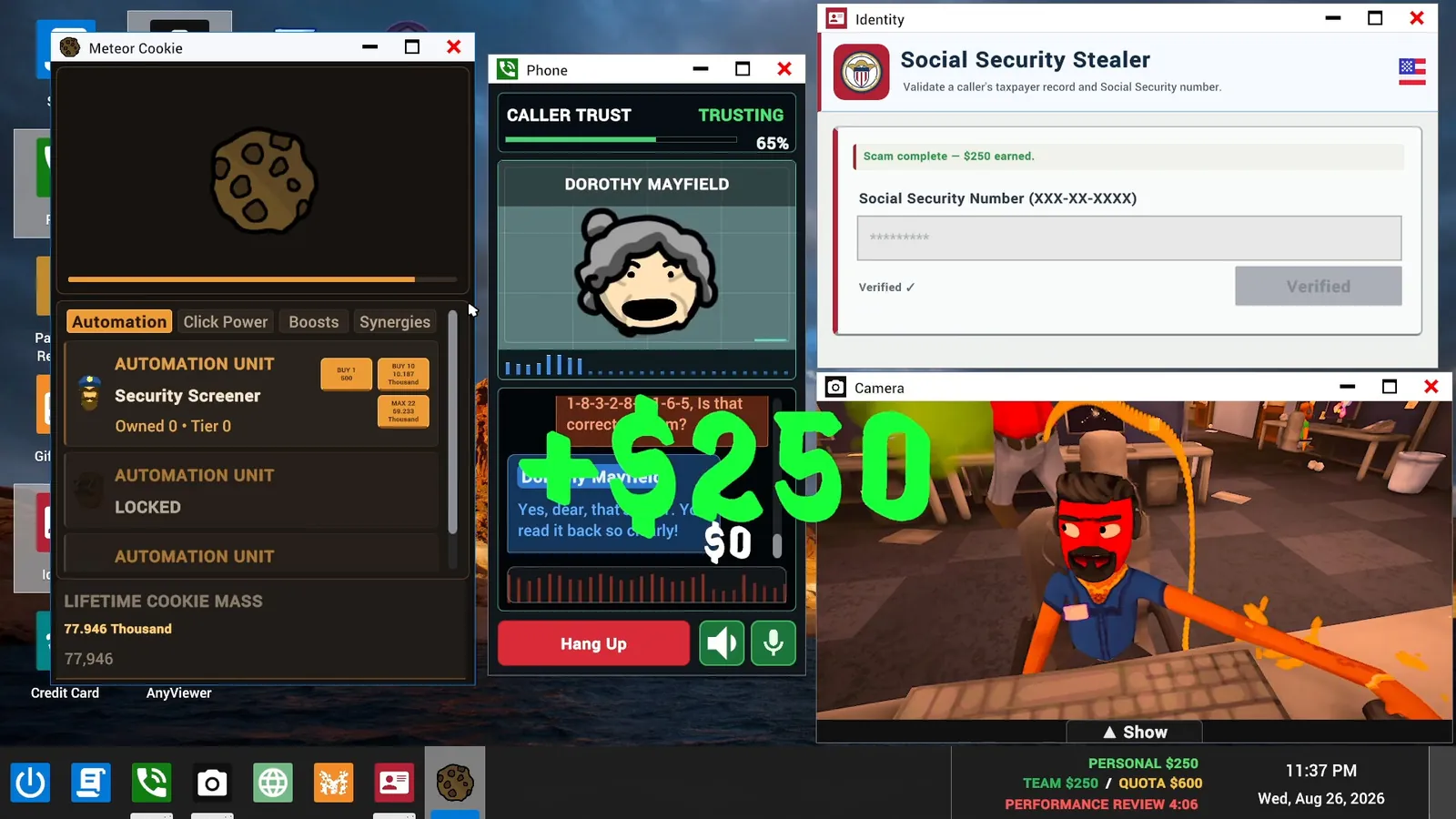
- Cash in. A finished scam pays out. In one screenshot a completed Social Security scam pays $250.
- Hit the quota. Earnings count toward the team's quota. The taskbar shows your personal balance, the team total, the quota and a countdown to the performance review.
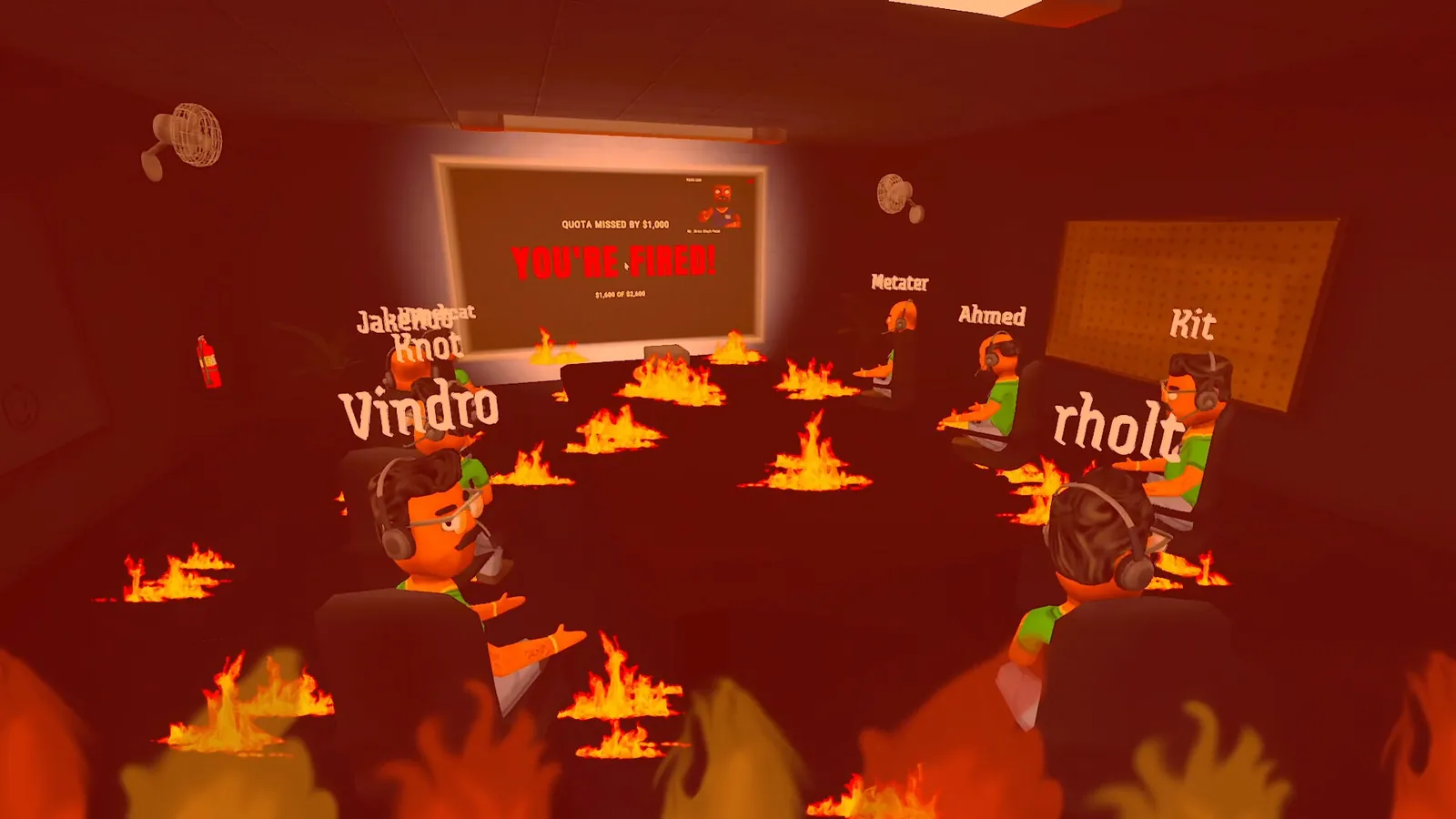
- Face the boss. When the countdown ends, the team is reviewed. Make the quota and you move to a harder day. Miss it and you are fired.
Reading the taskbar
The readout in the bottom right of the desktop is the scoreboard for the day:

- Personal: your own balance. It is tracked separately from the team figure: one screenshot shows a personal balance of $9,742 next to a team total of $0.
- Team / Quota: the team's total against the day's target. Screenshots show quotas of $600, $1,400, $1,750 and $2,600, so the target climbs as days pass.
- Performance review: the time left before the boss checks the numbers.
Taking a call
Calls arrive as a popup with the caller's name and portrait and two buttons: decline or accept. Accepting opens the Phone window, where the conversation happens.

Caller trust
Every call shows a Caller Trust meter with a percentage and a mood. Screenshots show callers marked "Trusting" at 65% and 75%, and "Angry" at 0%, 5% and 50%, so the label is not a simple function of the number. What you say moves the meter, since the caller is reacting to your actual words. Keep it up long enough to finish the scam; let it collapse and the caller is gone.
More on how the callers behave on the AI callers page.
Your tools
Scams run through desktop apps. The two that appear most in official material are the Identity app, where you enter a caller's Social Security number, and AnyViewer, where you type the caller's connection code to open their computer remotely. The scams and apps list covers everything spotted so far.
Money is not only for the quota. The Scamazon Market sells scams, business apps, games and "physical goods", which is where things get silly: one listing orders a missile barrage on rival scammers, another orders one on your own office.
What can go wrong
The Steam description names the hazards outright:
- Scambaiters. Some callers are hunting you. Fall for one and you can catch a computer virus.
- Computer viruses. Your desktop is your livelihood, so an infection costs time.
- Police raids and air strikes. Listed among the "workplace disasters" you have to survive.
- Distraction. The desktop includes a paint app, a camera, a screen recorder and at least one idle clicker game. The description warns you to stay focused for a reason.
How a run ends
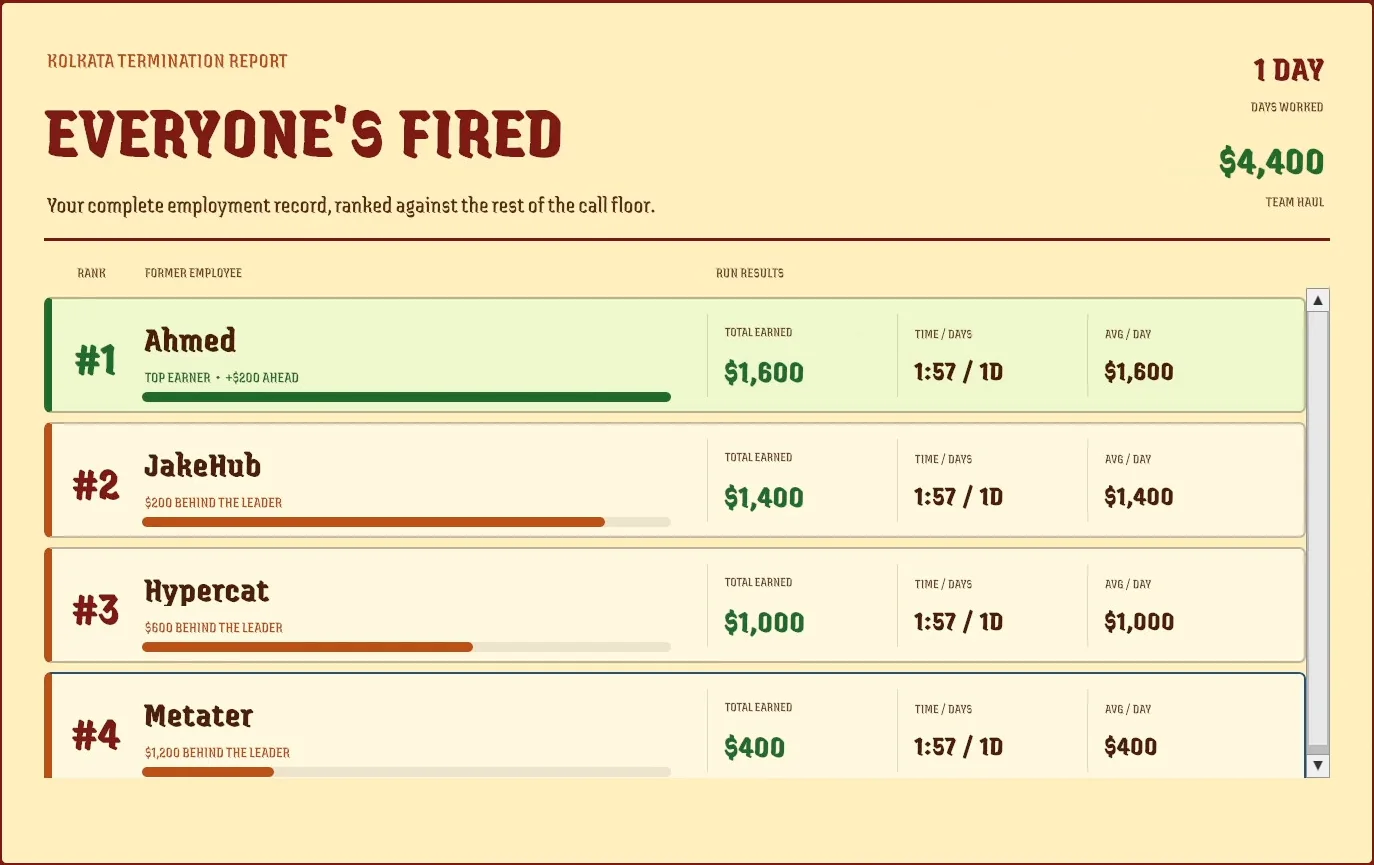
When the team is fired, the game shows a Kolkata Termination Report. It lists the days worked and the team's total haul, then ranks every player by money earned, with time played and average earnings per day. In the screenshot below, a four-player team lasted one day and brought in $4,400 between them.
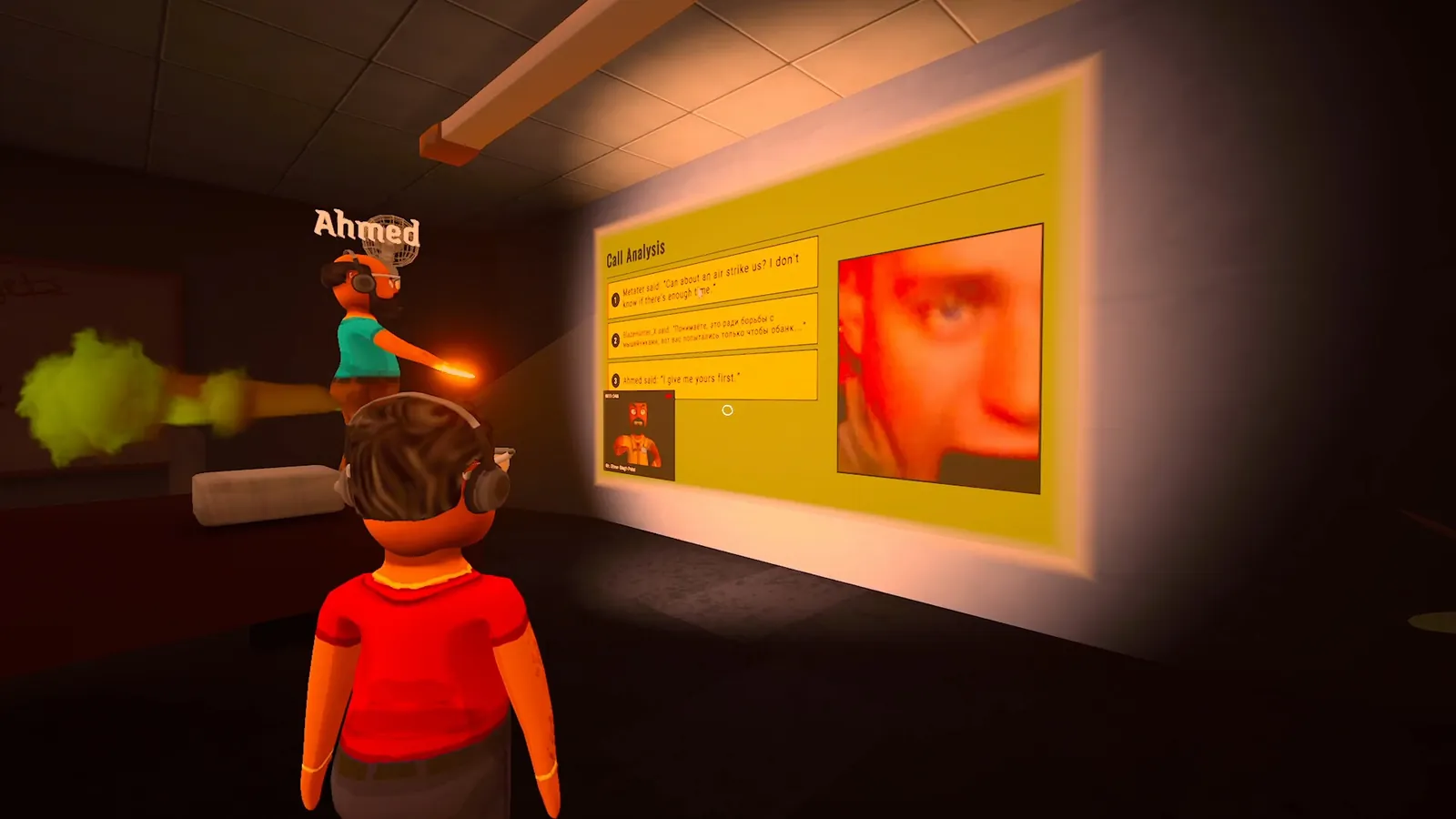
Another screenshot shows a Call Analysis screen projected on a wall, quoting lines players said during calls. Expect your worst moments to be replayed in front of the team.
Tips before launch
- Split roles in co-op. One person keeps the caller talking while another works the apps.
- Watch the review timer, not just the quota. A long call that pays late is worth nothing.
- Treat a caller who is too eager as a possible scambaiter.
These follow from the systems shown so far, not from hands-on time with the release build. We will replace them with tested advice after the Early Access launch.
FAQ
- What happens if you miss the quota?
- The boss fires the team and the run ends. An official screenshot shows the review screen reading "Quota missed by $1,000 - You're fired!".
- Do you need a microphone?
- The game is built around talking to callers, the phone window has a microphone button, and Steam tags the game with Voice Control. The developers have not published whether a text-only option exists, so plan on using a microphone.
- Is every run the same?
- No. Steam describes run-based progression with increasingly chaotic workdays, and the game carries the Procedural Generation and Perma Death tags.
- Is the difficulty adjustable?
- Steam lists Adjustable Difficulty among the game's features. How it works in practice has not been detailed.


